All your repositories in one place. No separate tracker.
githq puts GitHub Issues, Projects, pull requests and Actions from every repository on one fast screen. The issue tracker you would pay for is already in your GitHub.
No install · No new trackerNothing stored outside GitHub
GitHub will ask for full repository access. githq only touches issues, pull requests and the code they change, projects and, if you ask, its own settings repository.Why?
01One place
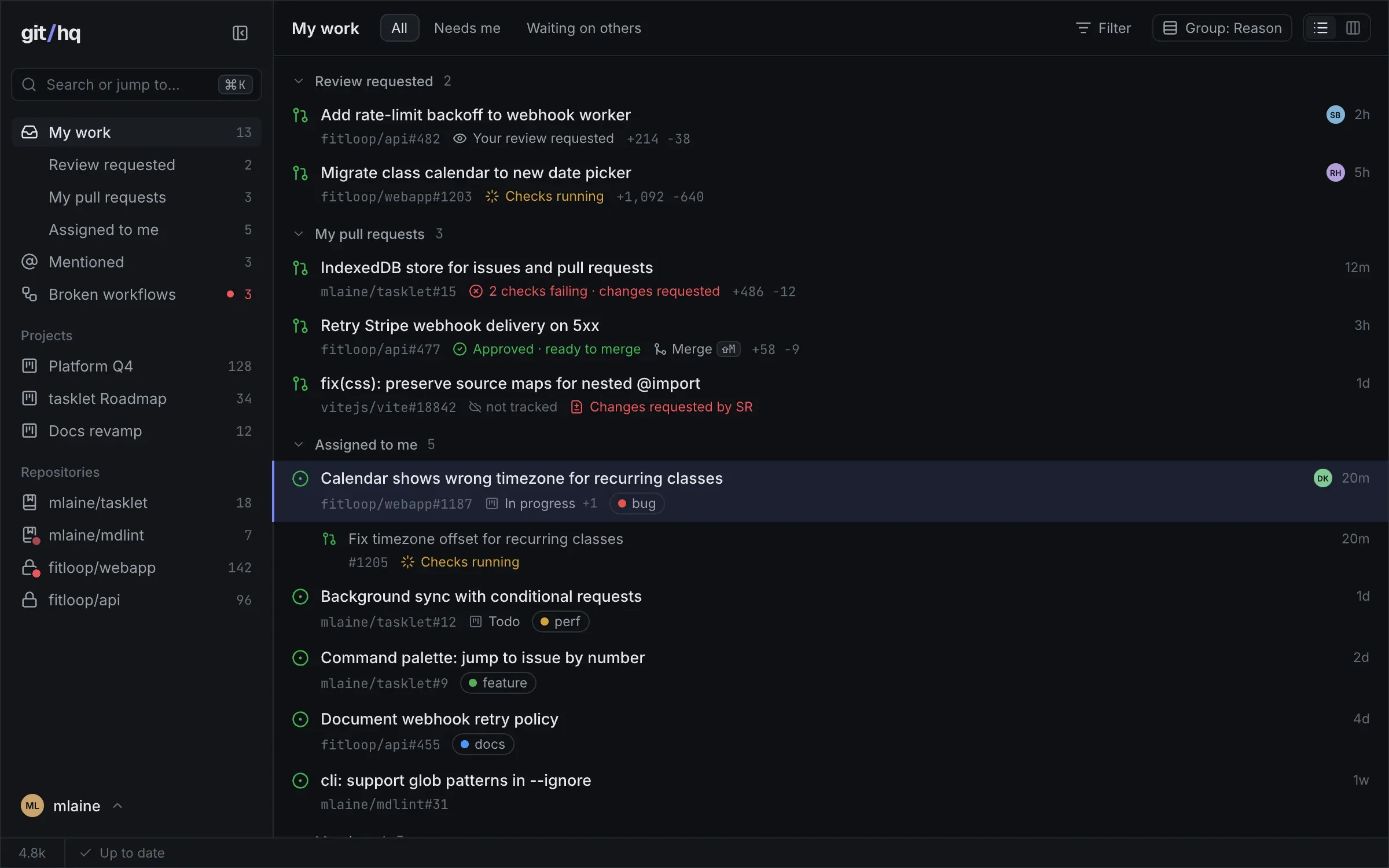
Everything that needs you, from every repository.
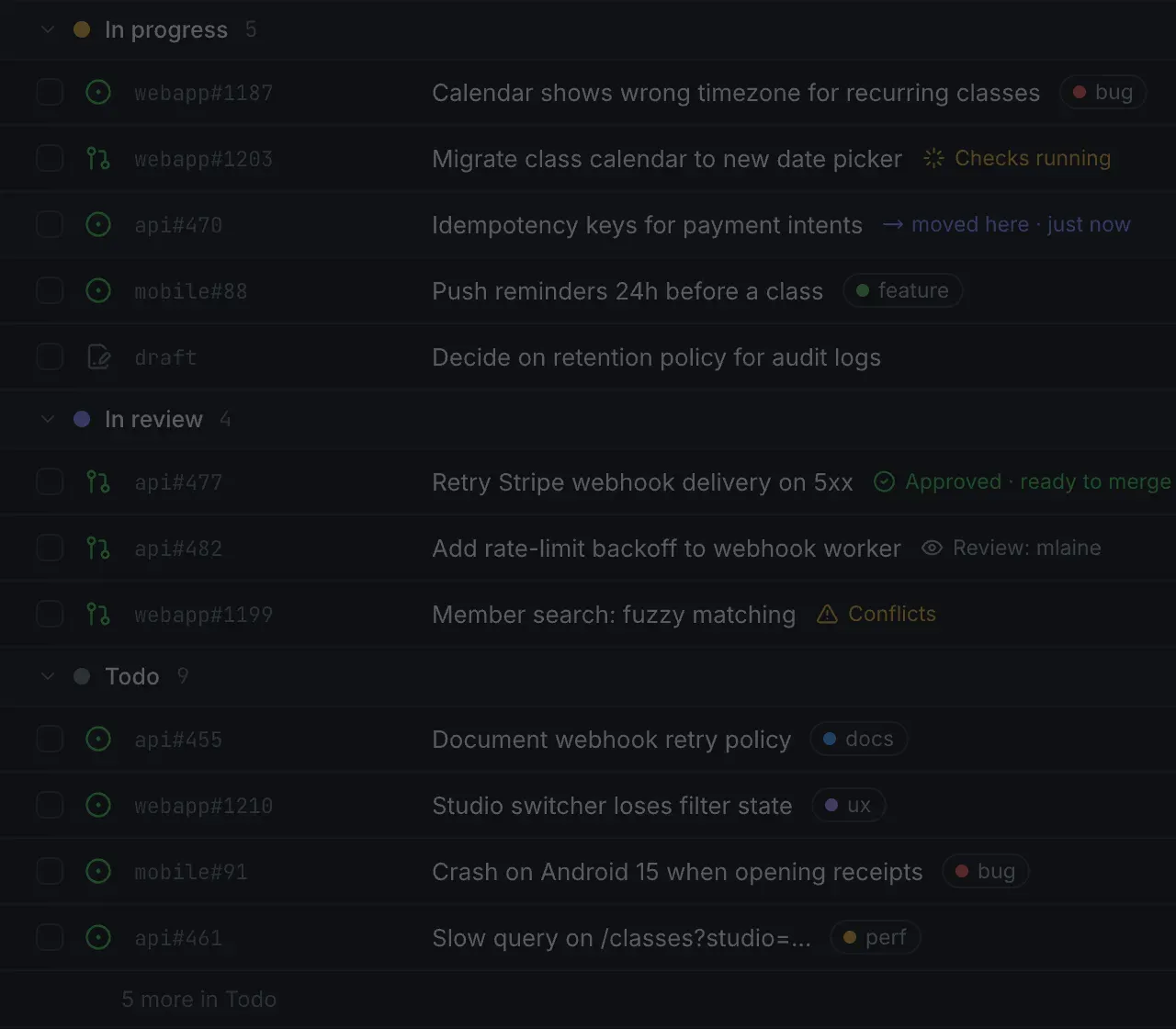
Reviews waiting on you, your pull requests with their checks, workflows failing on main, the issues assigned to you. One list across every repository you track, instead of a tab per repository.
- Reviews requested from you, front and center
- Your pull requests: checks, reviews, mergeable
- Workflows failing on main, in any repository
- Issues assigned to you
02 — No separate tracker
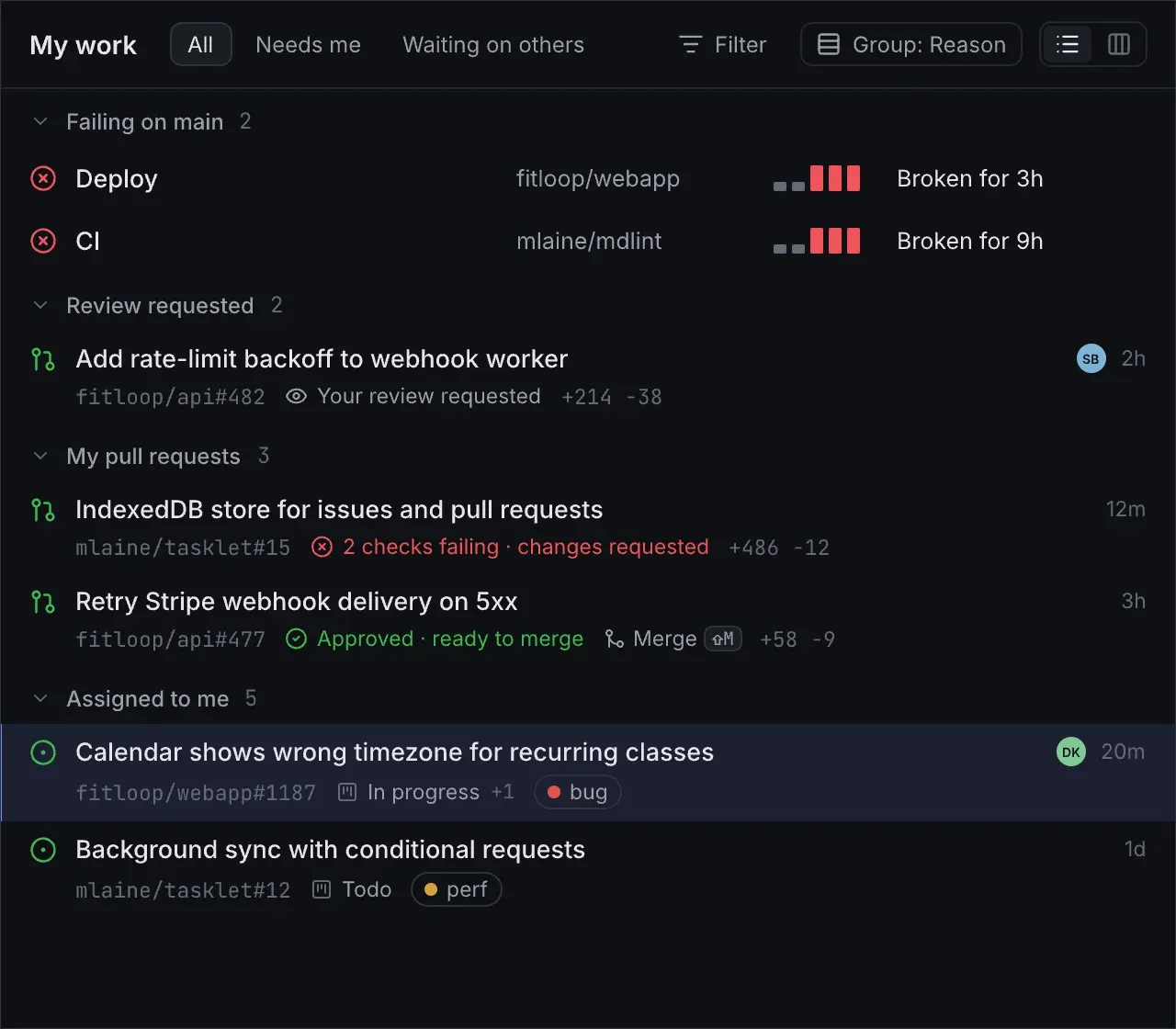
Your tracker isalready on GitHub.
Issues, labels, Projects with their fields, boards and iterations. They are the tracker, and githq works them directly: an edit shows at once and is on github.com the same second. Nothing to import, nothing to keep in sync.
| github.com | A dedicated tracker | git/hq | |
|---|---|---|---|
| Your work lives next to your code | Yes | No | Yes |
| Instant — no spinner on navigation | No | Yes | Yes |
| Everything from the keyboard | Partly | Yes | Yes |
| All your repositories in one view | Partly | Yes | Yes |
| Pull requests, checks and failing workflows next to your issues | Partly, one repository at a time | Partly | Yes |
| Nothing to import or keep in sync | Yes | No | Yes |
| Price for your team | Free | Per seat | Free |
03Why now
Even solo, you are leading a team.
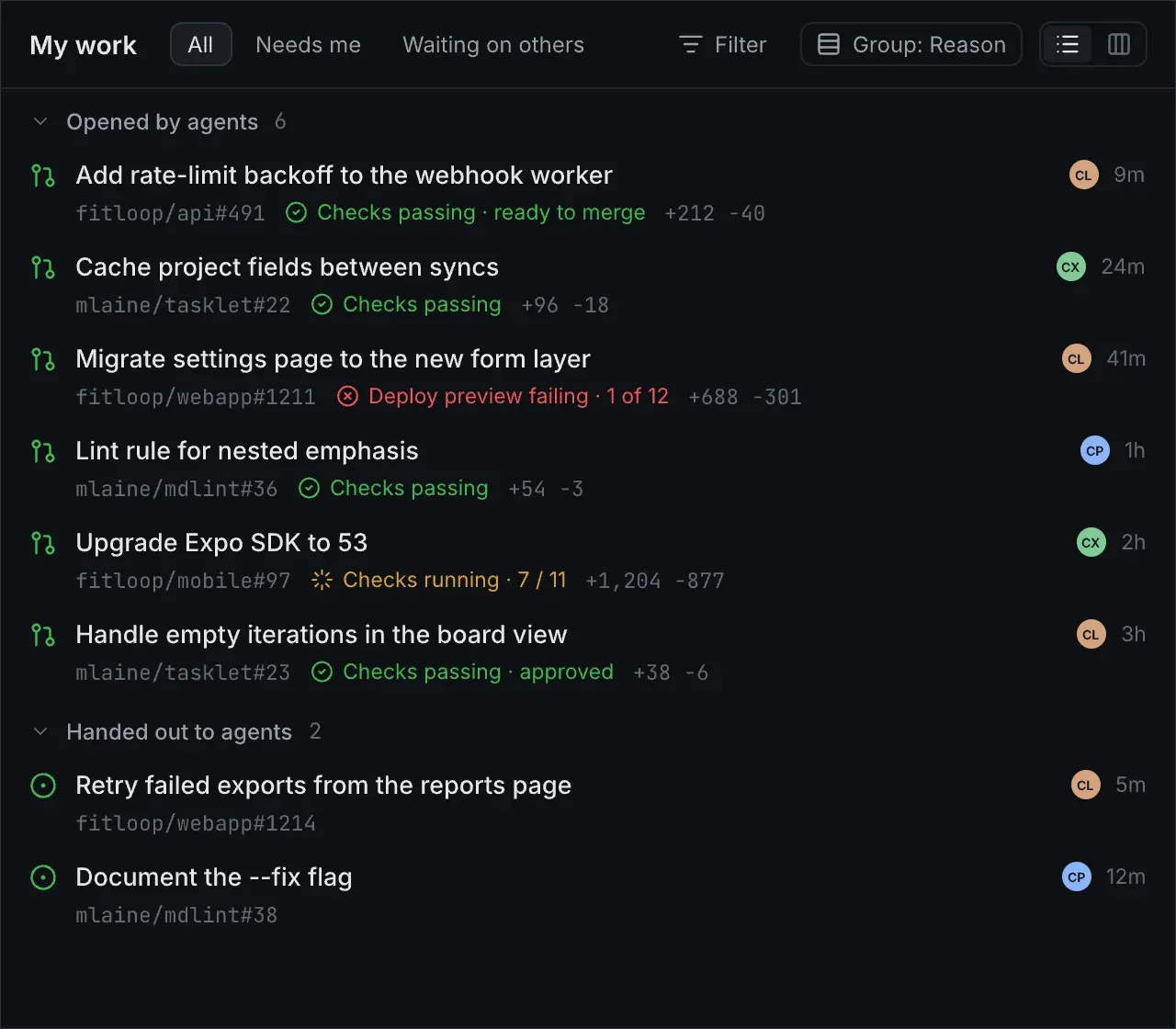
Agents open pull requests in ten repositories while you hand out the next issue. The issues are what you hand out; pull requests, checks and broken deploys are what comes back. githq is where you see it all, and merge it.
- Hand out work as ordinary GitHub issues
- See what every agent sent back, in one list
- Merge the green ones, open the red one
Built on what your team already uses
- Issues
- Pull requests
- Projects
- Labels
- Milestones
- Iterations
- Assignees
04Instant
Instant isn’t a feature. It’s the whole point.
githq keeps a copy of your GitHub work in the browser and refreshes it in the background. Screens open from that copy and edits land before GitHub even answers. There is no spinner between you and the next issue.
- Every screen opens from a local copy
- Edits show at once, written to GitHub behind the scenes
- Background refresh on GitHub’s free “not modified” answers
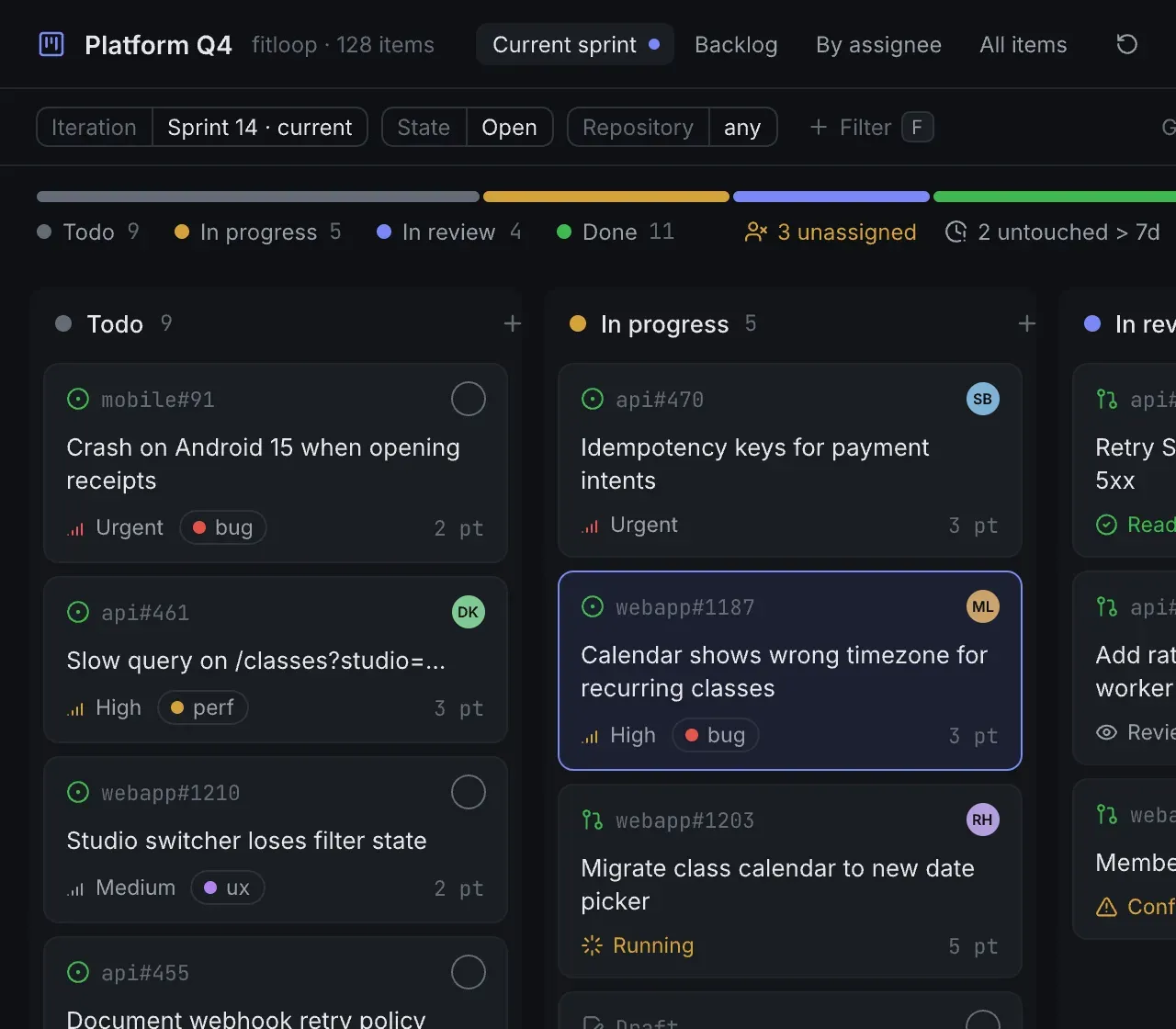
Status → In progress · saved to GitHub
05Keyboard
Your hands never leave the keyboard.
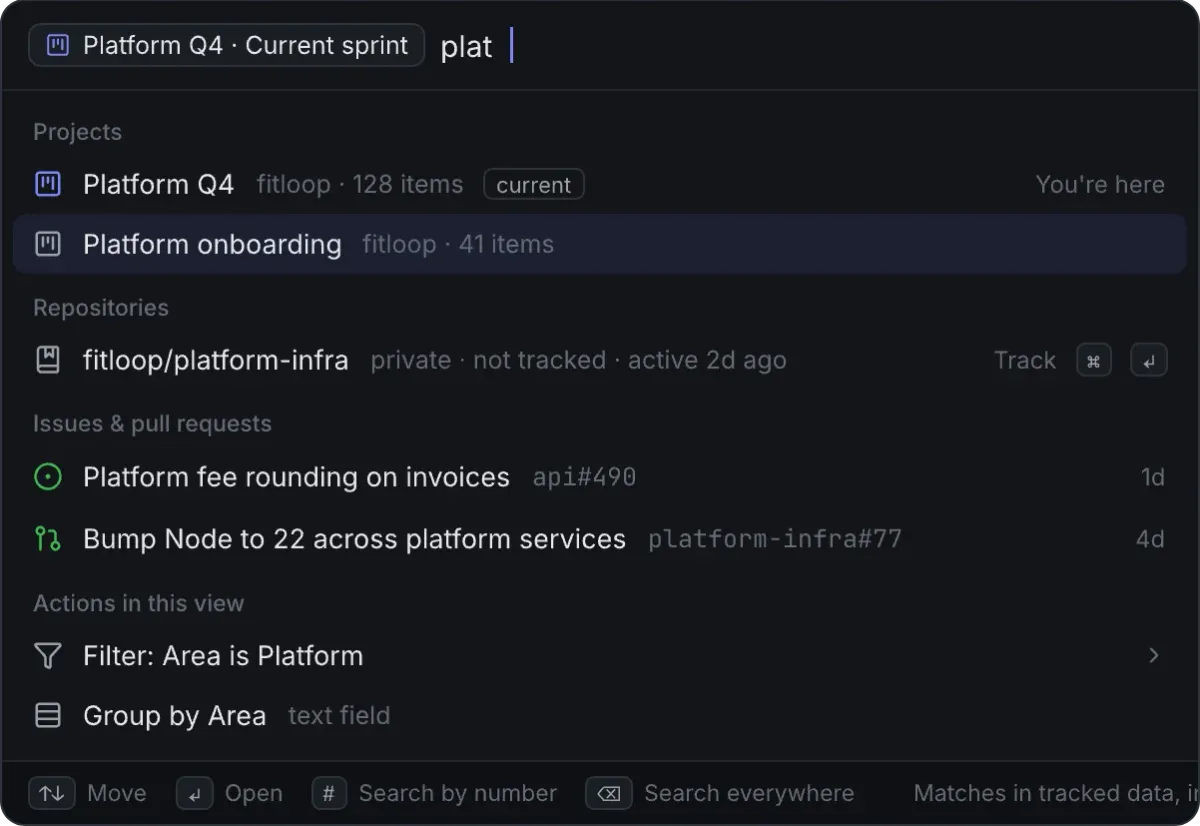
⌘K finds any issue, repository or action. A single key sets the status, assignee or labels of whatever is selected — one item or twenty. Another opens it on github.com when it’s time to read the diff.
- ⌘ KCommand menu
- CNew issue
- SSet status
- AAssignee
- LLabels
- OOpen on GitHub
06Faithful to GitHub
GitHub’s model. Linear’s feel.
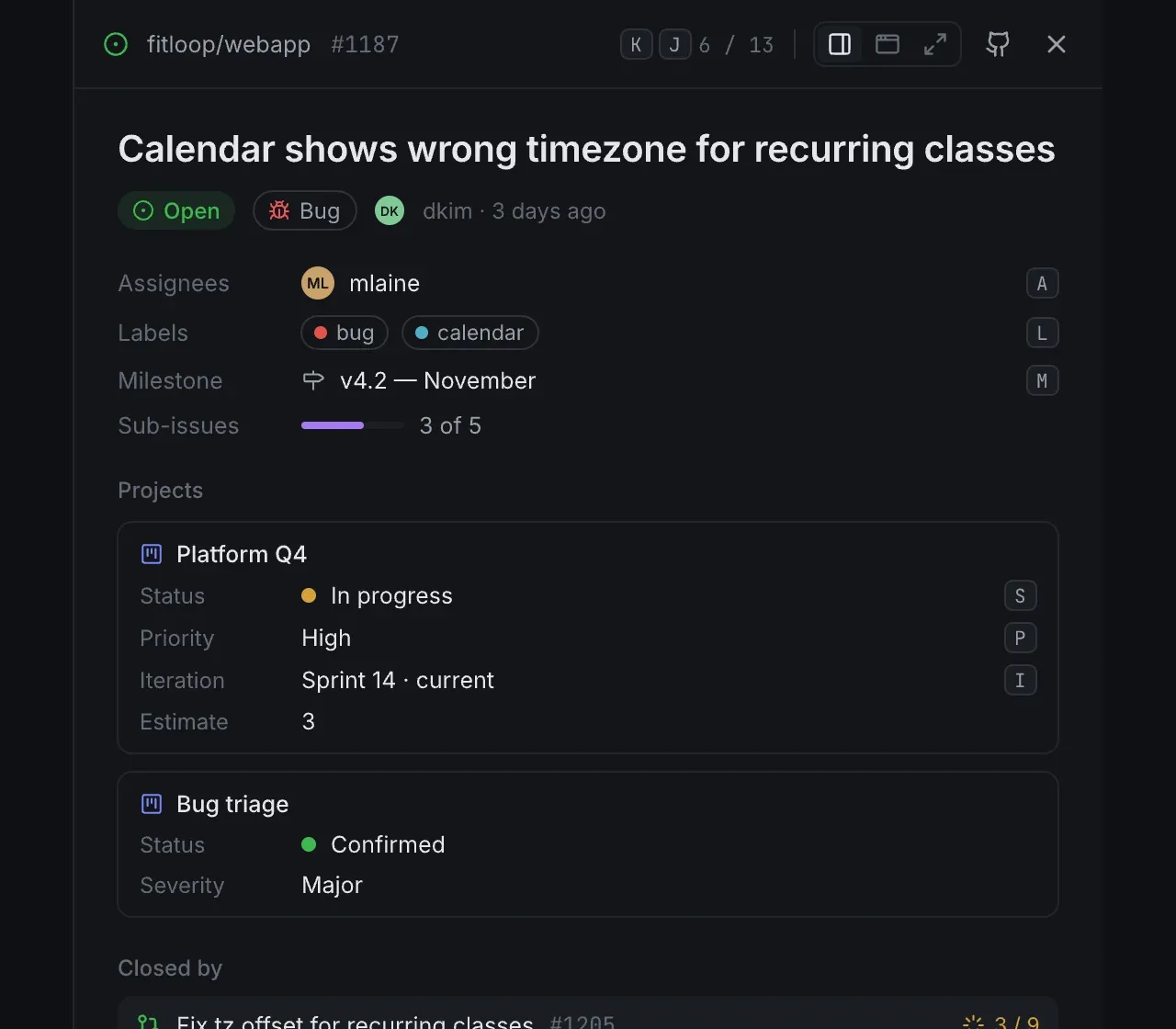
If your project has a Status field, githq shows that Status. Custom fields, iterations, list or board — whatever your GitHub Project defines, and nothing githq made up. Change it here and it’s changed on github.com. And the other way round.
- Projects (v2) fields, views and iterations
- Two-way by design — GitHub is the source of truth
- Every githq address is a GitHub address
The details
Small things that add upto a tool you keep open.
Swap the host, keep the page
Change github.com to githq.dev in any link and the same issue, pull request or list opens in githq. Anything githq doesn’t show hands you straight back to github.com.
The address on GitHub: https://github.com/acme/web/issues/42
The same address in githq: https://githq.dev/acme/web/issues/42
Free. Actually free.
No seats, no plans, no trial that runs out. GitHub is the backend, so there is nothing for us to charge you for.
No server holds your work
You sign in with GitHub and that’s it. Your work lives on GitHub and in your browser — githq has no database of its own.
Gentle on your API limit
Change checks use GitHub’s conditional requests. When nothing changed, they don’t count against your hourly allowance.
Installs like an app
Add githq to your dock or home screen. It opens straight into your work, in its own window.
Anywhere on GitHub
The pull request you opened on someone else’s open-source project shows up too. If it concerns you, it’s in your work — no matter whose repository.
Stacks read as one
A stack of pull requests is one entry in every list. Open any of them and the whole stack is beside it, each pull request with its checks and reviews.
Open source
Built in the open.On GitHub, obviously.
Every line of githq, every design decision and every issue is public. It’s planned in GitHub Issues — and worked from githq itself. Read the code, open an issue, send a pull request.
Every repository you work in. One screen, starting now.
Sign in with GitHub and your issues, pull requests and failing workflows are on screen. No setup, no import, no card.
GitHub will ask for full repository access. githq only touches issues, pull requests and the code they change, projects and, if you ask, its own settings repository.Why?